By El Ghali Bennis · Published
As Seen In Logos for Your Website: How to Add Them
Add "as seen in" logos to your website the right way: placement, grayscale design, legal limits, and how to earn real press mentions.
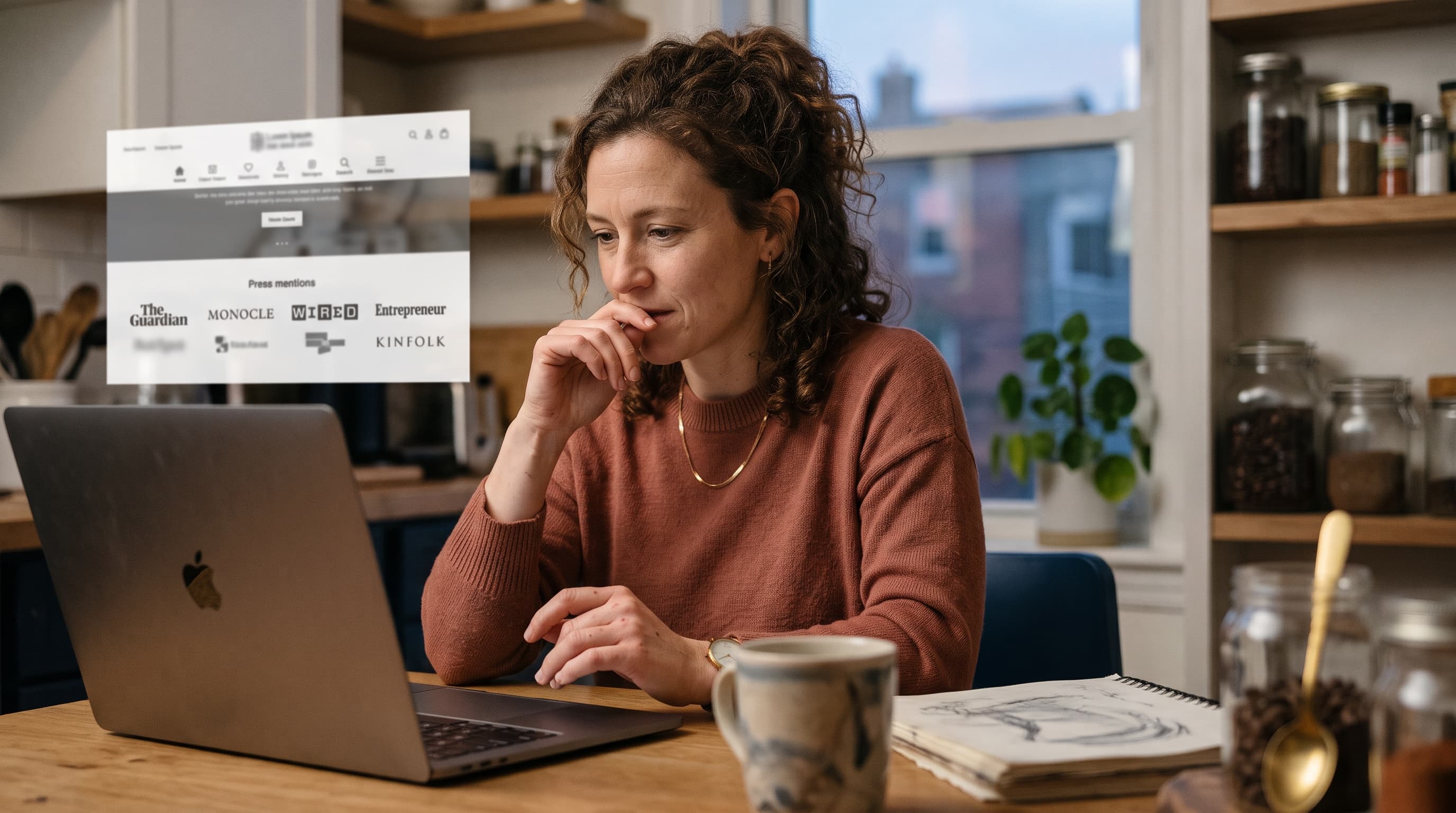
"As seen in" logos for a website are a row of media outlet logos, usually placed under the homepage hero, that tell visitors reputable publications have covered or mentioned your brand. Use them only for real coverage, keep them grayscale and small, and link each one to the actual article.
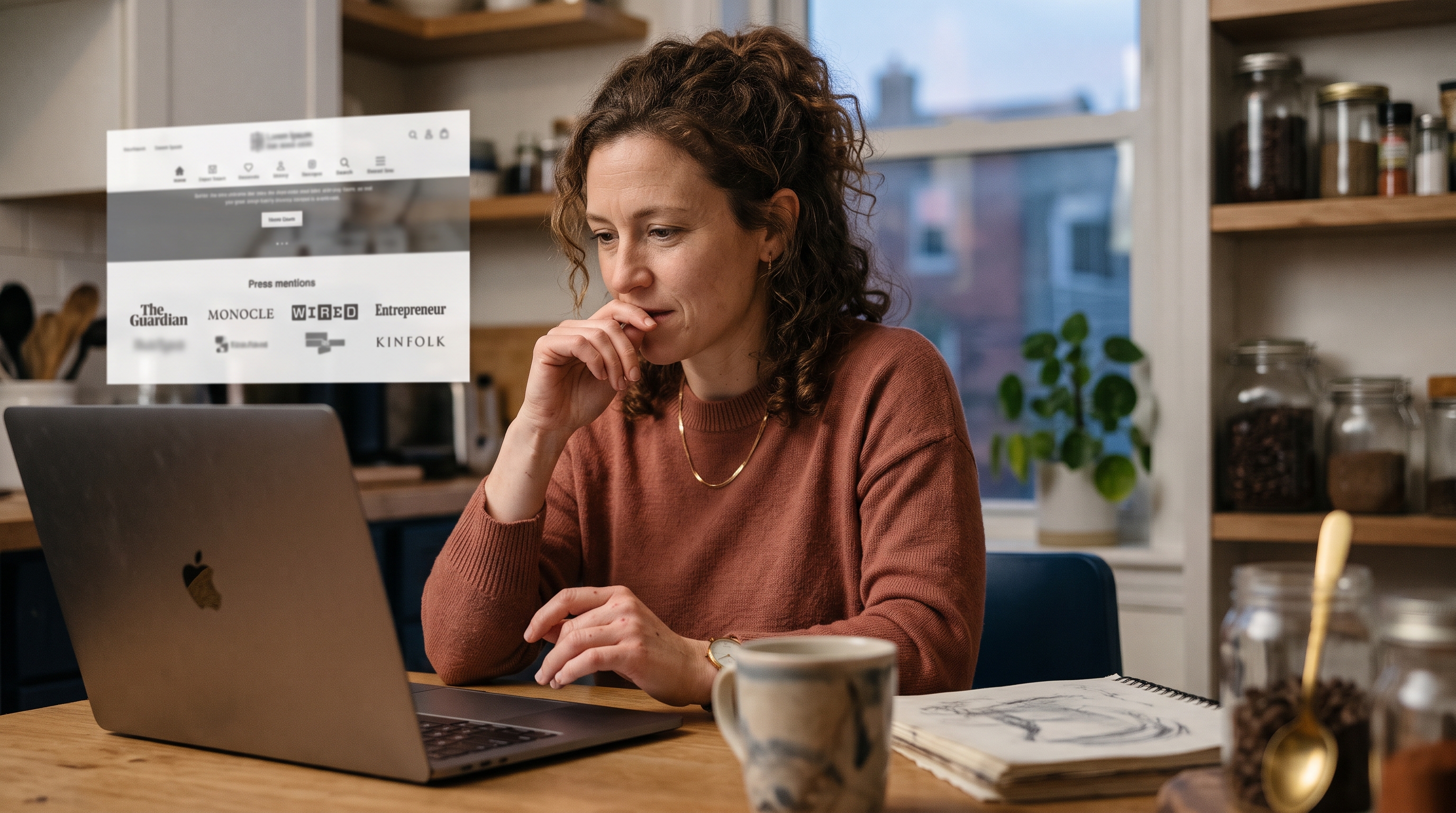
A new store has one problem no product photo fixes: nobody knows you yet. A press strip borrows trust from names shoppers already recognize. Done well, it's one of the cheapest ecommerce trust signals you can add. Done badly, it's a legal risk and a credibility killer. This guide covers where to put it, how to build it, what you're allowed to show, and how to earn the mentions in the first place.
What Are "As Seen In" Logos for a Website and Why Do They Work?
"As seen in" logos for a website are a form of social proof for an online store: they show third-party validation from publications, podcasts, or TV segments. They work because shoppers use recognizable brands as a shortcut when they can't judge a store themselves.
The psychology is simple. A first-time visitor has no purchase history with you and is scanning for reasons to leave. Baymard Institute's checkout usability research has repeatedly found that roughly one in five shoppers (about 19% in its survey) have abandoned an order because they didn't trust the site with their credit card information. That figure is from Baymard's published research, so check their current numbers before quoting it. A familiar logo near the top of the page lowers that anxiety before the visitor reaches the product.
It's not magic, though. A press strip won't rescue weak product pages or slow load times. Think of it as one layer in a stack of homepage trust badges for ecommerce: secure checkout icons, reviews, return policy, and clear contact details. If you're building from zero, our guide on building an online store with no experience covers the other pieces.
What counts as a "media mention"?
Not every mention is equal. Rank them by strength:
- Feature or profile: an article primarily about you or your product. Strongest.
- Product roundup or gift guide: you're one of several items. Still valid.
- Expert quote: a journalist quotes you in a story. Valid, and you can say "featured in."
- Podcast or TV appearance: valid, name the show.
- Paid or sponsored post: label it honestly, or leave it off the strip.
Where to Place Press Logos on Your Website
The best spot for press logos on a website is directly below the homepage hero, above the first product section. That's where visitors have just seen your promise and are deciding whether to believe it.

Homepage: the main placement
A featured in logos homepage strip should sit within the first one or two screens on mobile. Keep it one row, three to six logos, with a small label such as "As seen in" or "Featured in." No paragraph, no big heading. The logos do the talking.
Other pages that benefit
- Product pages: a slim strip under the add-to-cart button, if the product itself was covered.
- About page: a fuller press section with headlines and pull quotes.
- Cart or checkout: usually skip it. Checkout should stay clean. Security and return info matter more there.
- Landing pages for ads: a strip near the top raises credibility for cold traffic.
Building a full "as seen in" press section for ecommerce
Once you have five or more mentions, create a dedicated as seen in press section for ecommerce on your About or Press page. Show each logo with the headline, a one-line quote, and a link to the article. The homepage strip is the teaser; this page is the proof. It also gives journalists and bloggers a place to find your brand assets.
How to Add "As Seen In" Logos to a Website
To add an "as seen in" strip, collect clean logo files, convert them to a uniform grayscale, size them to the same height, link each to the real article, and place the row under your hero. Here's the process step by step.
- Collect real mentions. List every article, podcast, or segment with its URL and date. Save a screenshot of each in case the page moves.
- Get logo files. Download SVG or transparent PNG versions from each outlet's press or brand page. Don't screenshot a logo off a webpage; it'll look blurry.
- Normalize them. Convert every logo to a single color (grey or black) and set the same height. Wordmarks vary in width, so match height, not width.
- Add alt text. Write something like "Featured in Forbes" so the strip is accessible and readable by search engines.
- Link to the source. Each logo should link to the actual article. This proves the claim and protects you if anyone questions it.
- Compress. Use SVG where possible. Heavy PNGs on a homepage hurt load speed, which hurts conversion.
- Test on mobile. Either wrap to two rows, or use a horizontally scrolling row with no more than four visible at once.
On most builders, this means dropping an image block or custom section on the homepage. On Shopify, you'll often need a theme section or an app. On a platform where you can simply describe what you want, it's a one-line request. With Rovela, you'd tell the chat "add an 'as seen in' strip under the hero with these four logos, grayscale, linked to the articles," and it's done. Stores also run on standard Next.js code you can download, so nothing is locked in.
As Seen On Banner Design: Grayscale Logo Strip Best Practices
A good grayscale logo strip design uses one muted color, equal logo heights, generous spacing, and no animation. The strip should look calm and factual, not like an ad.

Design rules that hold up
| Element | Recommended | Avoid |
|---|---|---|
| Color | Single grey or black at 60-80% opacity | Full-color logos clashing with your palette |
| Number of logos | 3-6 | 10+ tiny logos nobody can read |
| Height | 24-40 px desktop, 20-28 px mobile | Matching widths, which distorts wordmarks |
| Label | "As seen in" or "Featured in" | Long copy or exaggerated claims |
| Background | Plain white or very light tint | Busy photography behind logos |
| Behavior | Static, or slow marquee on mobile only | Fast carousels that hide logos |
Grayscale matters because outlets use wildly different brand colors. Red, blue, and black logos side by side look chaotic. Unifying them makes the row feel intentional and lets your own brand stay the loudest element on the page.
Optical balance
Some logos are tall and square, others long and thin. Even height can still look uneven. Nudge square logos slightly smaller and thin wordmarks slightly larger until the row feels balanced. Trust your eye over the numbers.
Banner version
If you want a standalone as seen on banner design for a landing page, keep the same rules: a thin full-width band, light background, label on the left (or centered above on mobile), logos evenly spaced. Resist adding quotes inside the band. Quotes belong in the press section.
Can I Use "As Seen In" Logos on My Website?
Usually yes, if the coverage is real, current, and you present it factually. Logos are trademarks, so you're relying on nominative fair use: identifying that a publication covered you, not implying it endorses you. This isn't legal advice, but these rules keep most stores safe.
- Only show outlets that actually covered you. Fake logos can trigger deceptive-advertising problems. Under Section 5 of the FTC Act, advertising claims must be truthful and not misleading, and the FTC's Endorsement Guides (16 CFR Part 255) cover endorsements and material connections. Start at ftc.gov and search "Endorsement Guides."
- Don't imply endorsement. "Featured in" is accurate for a mention. "Recommended by" or "Endorsed by" is a stronger claim you need to back up.
- Match the label to the mention. A single line in a roundup isn't "Forbes loves us."
- Check the outlet's brand guidelines. Many publishers have a press kit page with usage rules. Follow them. Some ask you to request permission before using their mark in marketing.
- Don't alter logos beyond color and size. No stretching, no rotating, no combining them with your own mark.
- Disclose paid placements. A sponsored post isn't earned coverage, and the FTC expects material connections to be disclosed.
- Remove outdated ones. If an article is taken down, take the logo down too.
If you operate in the EU, apply the same honesty principles. The Unfair Commercial Practices Directive treats misleading trust claims as a consumer-law issue there as well. Keep a file with each article URL, date, and screenshot so you can prove any claim if asked. When in doubt, link to the article and let the source speak.
How to Get Press Mentions for an Online Store
To get press mentions for an online store, give journalists a specific story, not a product announcement. Founder stories, unusual data, local angles, and useful expert quotes get picked up; "we launched a store" doesn't.
How to get featured in press for a small business
- Pick a real angle. What's unusual about your product, your story, or your numbers? A 28-year-old who turned a garage hobby into a store makes a story. A generic catalog doesn't.
- Start small. Local newspapers, niche blogs, newsletters, and podcasts in your category respond far more than national outlets. One small yes builds the next one.
- Use source-matching platforms. Services like Help a Reporter Out (HARO-style requests) and similar tools connect experts with journalists who need quotes. Check that the service is currently active before you rely on it.
- Pitch short. Three to five sentences: who you are, the angle, why their readers care, what you can offer (samples, data, an interview).
- Send samples. For physical products, a sample sent to the right writer beats ten cold emails. Gift guides are a realistic first win.
- Publish your own data. Share sales trends, customer surveys, or category insights. Journalists love numbers they can cite.
- Follow up once. A single polite follow-up after a week is fine. Three isn't.
Niche matters. A pet store getting a mention in a pet blog is more convincing to pet owners than a vague big-name logo. If you sell in that category, see how others position themselves in our guide to selling pet products online.
A worked example: a hypothetical candle store
This is an illustrative scenario, not a real client result. Imagine a small candle store with no coverage. The owner pitches three local lifestyle blogs with a sample and a short story about pouring candles in a converted garage. One includes the store in a gift guide. The owner then pitches a regional newspaper, citing that guide, and gets a short profile. Within a few months, the homepage strip shows two logos, each linked to its article. That's enough for a credible strip: two real mentions beat six padded ones. Your own numbers will differ, so test it (see the measurement section below).
What to show while you wait for press
No coverage yet? Don't fake it. Build trust for a new online store with what you actually have:
- Customer reviews with photos, even five of them
- Marketplace badges or ratings, if you sell elsewhere
- Certifications, awards, or partner and supplier logos (labeled honestly, such as "Our partners")
- Secure payment icons such as Stripe, Visa, and Mastercard
- A clear returns policy and visible contact details
- A founder photo and story on the About page
Rovela stores include reviews, customer Q&A, and wishlist features by default, so you aren't paying for separate apps just to show proof. That matters when you're deciding whether you need a full website or a lighter presence.
Common Mistakes With Media Mentions on a Website
The most common mistakes are exaggeration, clutter, and neglect. Avoid these and your strip will help rather than hurt.
- Logo inflation. Showing a national outlet for a reader-submitted comment is the fastest way to lose trust.
- Too many logos. Past six, visitors stop reading. Choose the most recognizable and most relevant.
- Unlinked logos. If shoppers can't verify, they'll assume you can't.
- Stale coverage. A mention from several years ago on a store that has changed completely feels hollow. Refresh the strip each quarter.
- Slow images. Unoptimized logo files can add real weight to your homepage. Use SVG.
- Ignoring mobile. A strip that wraps into four lines pushes your products below the fold.
How do you measure whether it works?
Run a simple before-and-after test. Track these metrics for two to four weeks without the strip, then the same period with it:
- Homepage-to-product click rate: sessions that reach a product page divided by homepage sessions.
- Add-to-cart rate: add-to-carts divided by product page sessions.
- Conversion rate: orders divided by sessions.
- Bounce rate: a directional signal for small stores.
Better, split traffic so half your visitors see each version. As a rough guide, you need several hundred conversions per variant for a trustworthy A/B result, which most new stores won't have. Small stores should treat before-and-after changes as directional, and avoid comparing a holiday week against a quiet one. Keep any change that helps, and drop it if it doesn't.
Put Your Press Strip to Work
An "as seen in" strip is small, cheap, and effective when it's honest: real mentions, grayscale and consistent, linked to the source, placed under the hero. Earn the coverage with a specific angle, start with niche outlets, and use reviews and secure-payment badges until the press arrives. For a broader look at what makes a store feel credible, our no-code store guide is a good next read.
If you'd rather not fight with themes and apps to add a trust strip, Rovela builds a complete store from a plain-language conversation, with reviews, abandoned cart recovery, and Stripe checkout included. You can ask the chat to add or change your press section any time. See the flat plans on the pricing page and get your store live in hours, ready for its first mention.