
July 6, 2026
Jewelry Product Photography for Ecommerce: Full Guide
Learn how to shoot jewelry that sells online — lighting, gear, styling, editing, and how to display those photos on high-converting product pages.

Jewelry product photography for ecommerce is unforgiving. A ring that looks stunning in your hand can turn flat, dull, or fingerprint-smudged the second it hits a camera sensor. Reflective metal fights your lights. Gemstones lose their fire. And unlike a t-shirt, a customer can't try on the piece before buying — so your photos have to do all the convincing. Get them right and conversions climb. Get them wrong and even beautiful pieces sit unsold. This guide walks you through the gear, lighting, styling, editing, and page setup that make small jewelry look expensive online.

Why jewelry is the hardest product to photograph online
Jewelry combines every difficult photography problem in one tiny object. Metal reflects everything around it, including your camera, your hands, and the ceiling. Gemstones need directional light to sparkle but even light to avoid harsh shadows. And the pieces are small, so any dust, scratch, or fingerprint gets magnified.
Customers know this instinctively. When they shop for jewelry, they zoom in. They study clarity, color, and finish. Blurry or badly lit selling jewelry online photos read as cheap or fake — even when the product is neither.
The upside: because most small sellers get this wrong, sharp and consistent images are a genuine competitive edge. You don't need a studio budget. You need a repeatable setup and a clear understanding of how light behaves on metal and stone.
What good jewelry photos actually communicate
- Accuracy — the exact color of the gold, the true clarity of the stone, the real size of the piece.
- Quality — clean surfaces, crisp detail, no distracting reflections.
- Scale — how the piece sits on a hand, wrist, ear, or neck.
- Desire — a lifestyle shot that helps a shopper imagine wearing it.
The gear and setup you actually need
You can shoot professional-grade images without spending thousands. The core kit is smaller than most people expect, and a modern phone camera covers a lot of ground before you ever buy a dedicated body.
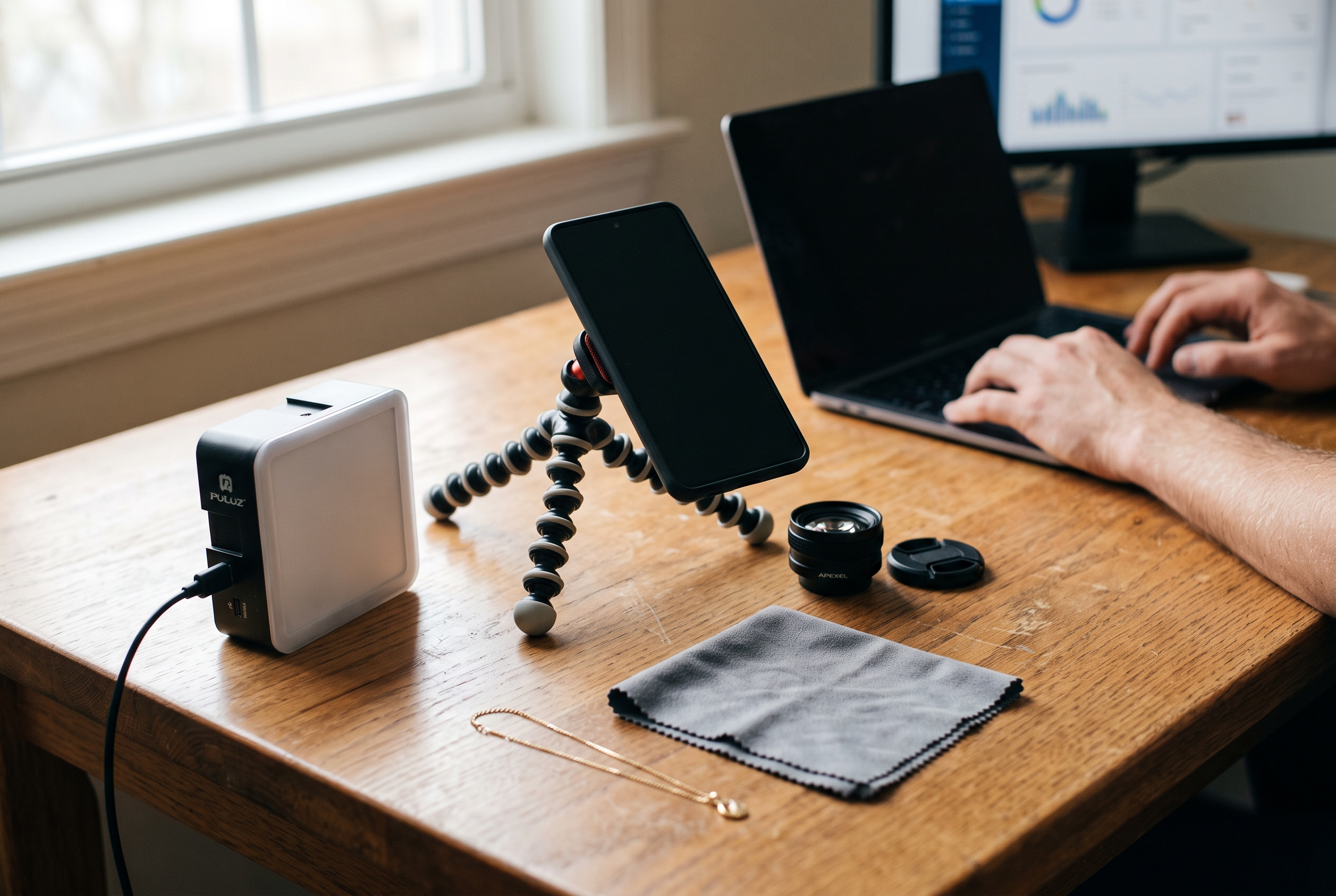
Camera and lens
A phone with a good macro or telephoto mode works for most catalog shots. If you want more control, a mirrorless camera with a dedicated macro lens (90mm–105mm) is the standard for fine detail. Macro lenses let you fill the frame with a single ring without distortion.
Lighting
Soft, diffused light is everything. Harsh direct light creates hot spots on metal and blown-out highlights on stones. Two options work well:
- A lightbox or light tent — the easiest path for beginners. The fabric walls diffuse light evenly and hide surrounding reflections.
- Two softboxes at 45-degree angles — more control for reflective surfaces, plus a white bounce card to fill shadows.
Support and surfaces
A tripod is non-negotiable. Macro work at small apertures needs long, steady exposures, and handheld shots introduce blur you won't notice until you zoom in. Add a clean white acrylic sweep for catalog shots and a few textured surfaces (linen, slate, marble) for lifestyle variety.
| Item | Budget option | Studio option |
|---|---|---|
| Camera | Smartphone with macro mode | Mirrorless + 100mm macro lens |
| Lighting | Lightbox with built-in LEDs | Two softboxes + bounce card |
| Support | Mini tabletop tripod | Full tripod with geared head |
| Background | White paper sweep | Acrylic + textured props |
How to photograph jewelry for an online store, step by step
Once the gear is in place, the process is repeatable. Here's how to photograph jewelry for an online store in a way that stays consistent across your whole catalog — which matters more than any single hero shot.
- Clean every piece first. Use a microfiber cloth and, for stones, a soft brush. Fingerprints and dust are the number one reason retakes happen. Handle pieces with gloves after cleaning.
- Set your background. Pure white (RGB 255,255,255) is the ecommerce standard for catalog images and required by many marketplaces.
- Position the light. Diffuse from both sides. Watch a stone through the viewfinder and adjust angles until it catches light without a harsh glare.
- Kill reflections. Metal mirrors the room. Surround the piece with white cards to reflect clean white instead of your camera or ceiling.
- Use a small aperture. Shoot around f/8–f/16 so the whole piece stays sharp front to back. Compensate with longer exposure on a tripod.
- Shoot multiple angles. Front, side, back, a detail macro, and at least one on-model or in-hand scale shot.
- Bracket if unsure. Take a few exposures at different brightness levels so you have options in editing.
Styling for reflective metal and gemstones
Reflective surfaces demand patience. For high-polish gold and silver, a light tent gives you clean, even reflections with almost no fuss. For faceted stones, tilt the piece slightly so facets catch and split the light — that's what creates the sparkle shoppers respond to.
Use small pieces of putty or clear risers to hold rings and pendants at flattering angles. A necklace laid flat looks lifeless; shape it into a gentle curve or hang it to show how it drapes.
Editing and lifestyle shots that build trust
Editing isn't about faking the product. It's about matching the photo to what the customer will actually receive. Over-editing that makes a stone look bigger or brighter than reality drives returns and destroys trust.

The editing checklist
- White balance — correct color first so gold reads as gold and silver isn't tinted blue.
- Background cleanup — remove dust spots and clean the sweep to true white.
- Sharpening — modest, to bring out engraving and texture without artifacts.
- Consistency — apply the same crop, brightness, and shadow treatment across the catalog.
Lifestyle and scale shots
Catalog shots inform. Lifestyle shots sell. A ring on a real hand, earrings against skin, a necklace on a model — these solve the biggest objection in online shopping: shoppers can't judge scale or fit. One good in-context photo per product often lifts conversion more than a fifth studio angle.
Mix skin tones and hand types where you can, so more of your audience sees themselves wearing the piece. Authentic, slightly imperfect lifestyle imagery consistently outperforms overly polished stock-style shots for handmade and independent brands.
Displaying jewelry online: getting product pages right
Great photos die on a bad page. Displaying jewelry online effectively means the images load fast, zoom crisply, and sit inside a page built to convert. Your jewelry website product pages should give shoppers everything they'd get from holding the piece.

What every jewelry product page needs
- A gallery of 5–8 images — front, angles, detail macro, scale shot, and lifestyle context.
- High-resolution zoom — shoppers expect to inspect clarity and finish.
- Fast-loading, compressed images — large uncompressed files sink mobile load times and hurt SEO.
- Specs that match the photos — metal, carat, dimensions, stone type. Numbers back up what the images show.
- Reviews and customer photos — social proof reduces the perceived risk of buying jewelry sight-unseen.
Image weight is the silent conversion killer. Beautiful macro files can run several megabytes each, and a gallery of them will crawl on mobile. Fast page speed is directly tied to conversion and search ranking, per Google's own performance guidance, so compression and modern formats matter as much as the shot itself.
This is where the platform you build on decides how much manual work you carry. On Shopify and similar tools, a proper zoom gallery, customer photo reviews, and image optimization usually mean bolting on separate paid apps. With Rovela, image zoom, reviews, customer Q&A, and fast Next.js delivery come built in, so your jewelry store product display stays quick no matter how many features you switch on.
Common jewelry photography mistakes to avoid
- Inconsistent lighting or backgrounds across the catalog — it looks amateur at a glance.
- Editing stones brighter or larger than reality, which fuels returns.
- Skipping the scale shot, leaving buyers guessing about size.
- Uploading giant uncompressed files that tank mobile speed.
- One angle only — jewelry needs to be seen from multiple sides.
Turning good photos into more sales
Strong ecommerce jewelry photography tips only pay off when the images live inside a store that showcases them. Consistent catalog shots build trust, lifestyle photos close the sale, and a fast, well-structured product page turns browsers into buyers. Shoot clean, edit honestly, and display the results on pages that load quickly and let shoppers zoom in without friction.
If you'd rather spend your time behind the camera than wrestling with plugins and page speed, Rovela builds a complete jewelry store — galleries, zoom, reviews, and fast delivery included — from a plain-language description of your brand. See how it works on the homepage, compare plans on the pricing page, or browse more merchant guides on the blog. Your photos deserve a storefront that shows them off.
